OzoneCheck_10 Software
The software permits to set automatically the instrument according to the selected test procedure, to perform the tests, to prepare test reports, to store test results.


Overview 
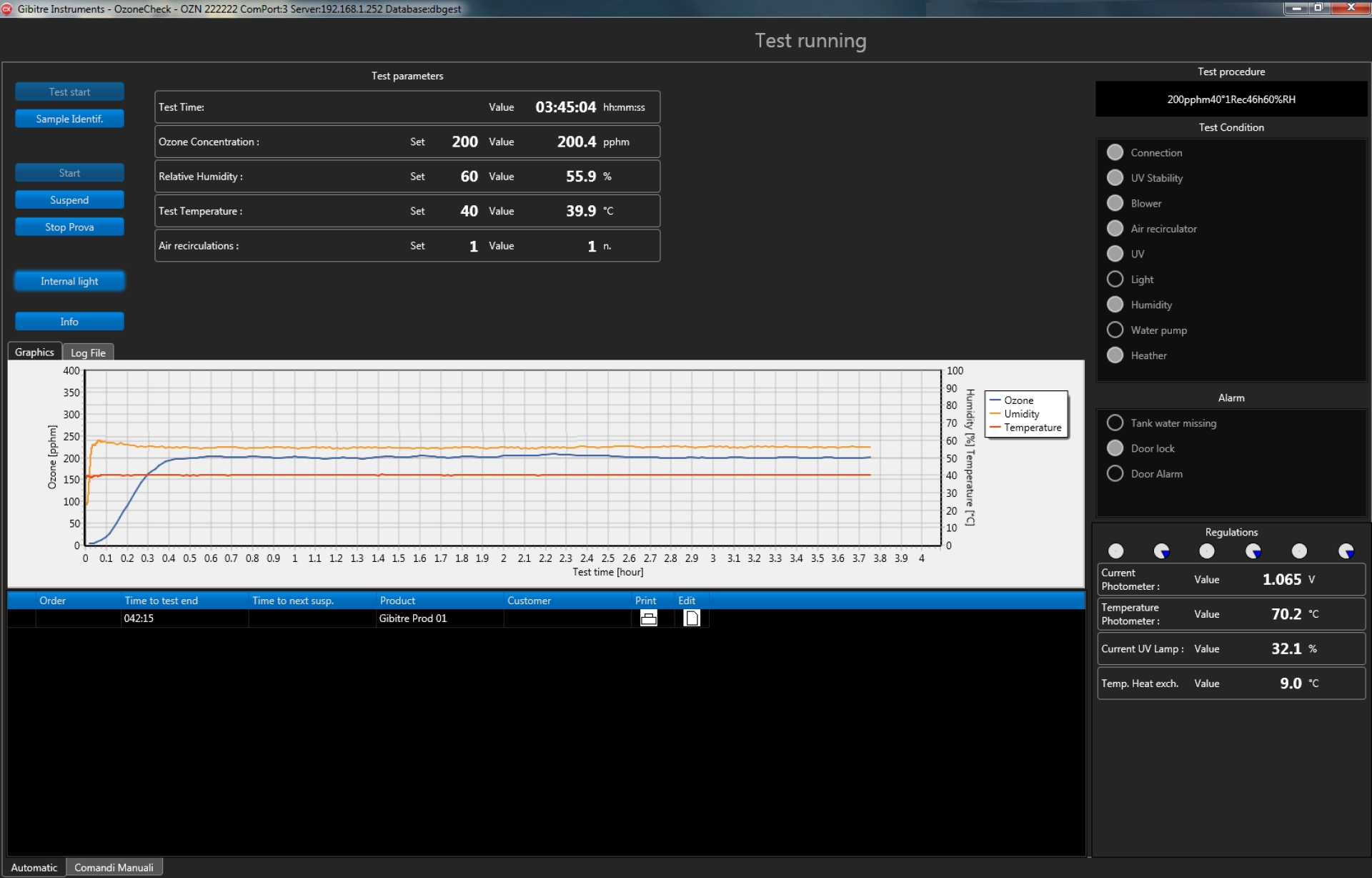
The program allows you to:
• Prepare customized test procedures by defining the test parameters (ozone concentration, temperature, number of air changes, duration of the test, concentration of humidity).
• Automatically adjust the instrument according to the parameters of the selected test procedure
• Display the Curves of the ozone concentration, humidity and temperature over time.
• Save test curves and images imported into Gibitre's SQL database.

Test Procedures 
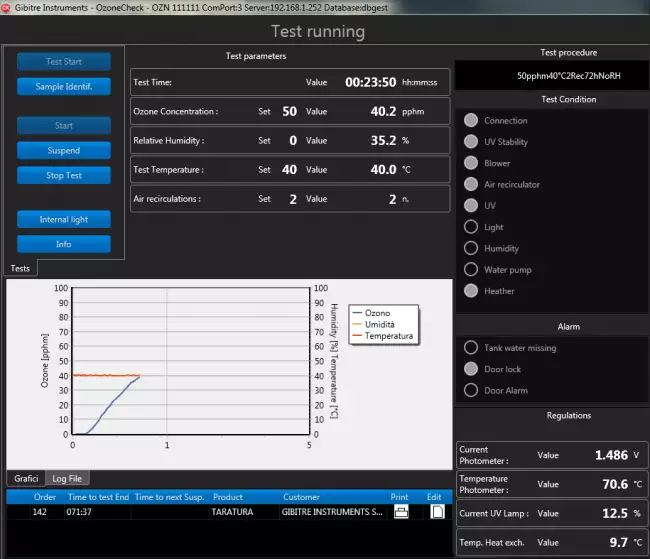
The Test procedures define the test conditions relating to:
• Ozone concentration
• Test temperature
• Air flow rate
• Duration of the test
• Relative humidity concentration (optional)

When a test procedure is selected, the instrument adjustment is done completely automatically.

It is possible to copy and modify the predefined Test Procedures or prepare completely customized ones through the Datagest program (installed together with the OzoneCheck program).

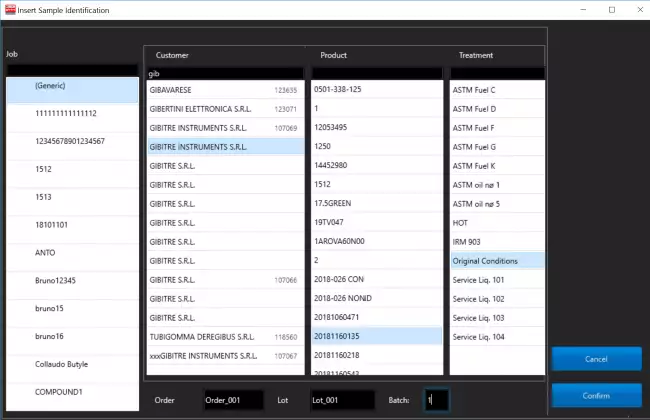
Management of Groups of Samples 
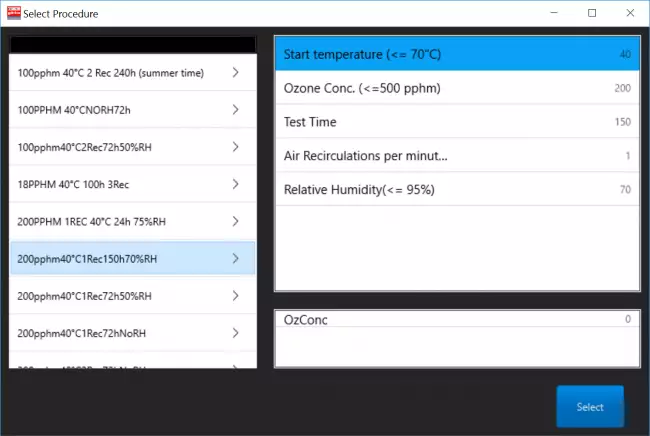
The software allows you to manage the execution of tests on different specimens in a very efficient way allowing:
- to enter the identification of each group of specimens
- to specify the test time and any suspensions for intermediate verification of the specimens

When the time for a verification or for the removal of a group of specimens has been reached, the software suspends the generation of ozone to allow access to the test chamber and operate on the specimens.

The addition of new groups of specimens can also be carried out when the test is already in progress: it will be sufficient to wait for the instrument to suspend the generation of ozone to allow it to be inserted


Inserting Specimens Images 
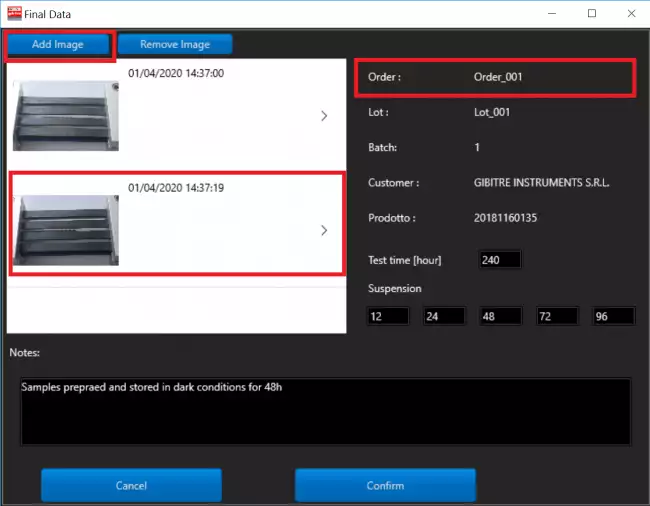
The software allows to associate to each group of specimens a sequence of images that describe their status during the test time.
The images are saved in the database together with the test curves and are shown on the test report.

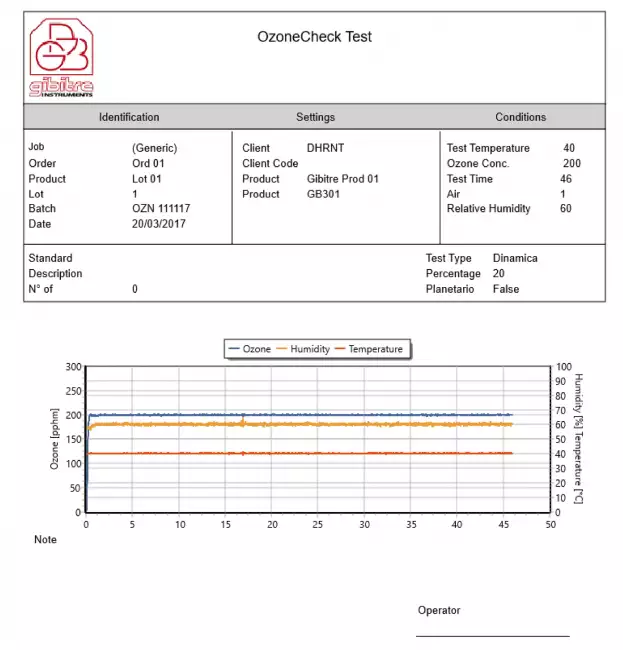
Test report 
Can be printed or saved to pdf in one of the available languages. The format of the Test Report can be customized by the user.
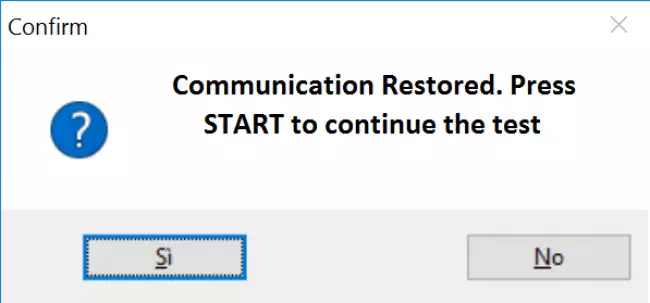
Continuation of the Test after unwanted interruption 
The instrument continuously stores the working conditions. After an electrical black out, the user can restart the program and continue the interrupted test.


Management of Test Results 
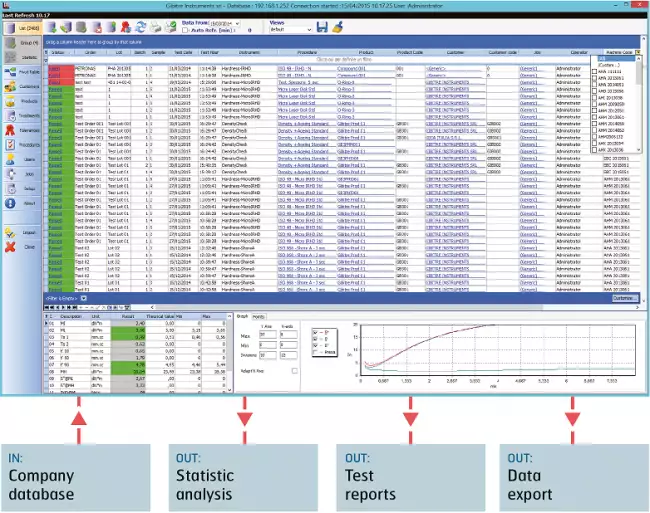
The results and test curves of all the tests carried out are saved in the Gibitre SQL database and are available through the Datagest program.

Datagest is the Laboratory Information Management System (LIMS) which is always installed in combination with all Gibitre instrument-control programs.
The program is the collector for all the test result produced with the instruments connected and permits to manage the common Archives used by the instruments (Product List, Customer List, Tolerance limits, Order List, etc)


Language Selection 
All the programs produced by Gibitre are multi-language and allow the operator to select the language of use.
The test report can be produced in the desired language regardless of the language of use of the program.
The languages available at the moment are: Italian, English, French, German, Spanish, Portuguese, Russian, Polish, Czech, Turkish, Japanese, Chinese.


Hardware requirements 
• Programs can be installed on standard PCs with WINDOWS 10 or 11 OPERATING SYSTEM.
• The CONNECTION between the instruments and the PC is made using the USB CABLE supplied with the instrument.
• The programs are COMPATIBLE WITH ANTIVIRUS, and other programs installed on the PC.



Gibitre Instruments
Via dell'industria, 18
Bergamo (Italy)
te. +39 035 461146
www.gibitre.it
info@gibitre.it

Copyright Gibitre Instruments
The software permits to set automatically the instrument according to the selected test procedure, to perform the tests, to prepare test reports, to store test results.
Campi di applicazione  >  Prove su pneumatici  >  Rheocheck MD - Drive
OzoneCheck_10 Software
software ozone tester: Gibitre 软件。Ozone-Check 程序用于检查臭氧测量仪。主程序页面显示臭氧浓度和温度随时间变化的曲线。
Get a Quotation

The software permits to set automatically the instrument according to the selected test procedure, to perform the tests, to prepare test reports, to store test results.

Overview 

The program allows you to:
• Prepare customized test procedures by defining the test parameters (ozone concentration, temperature, number of air changes, duration of the test, concentration of humidity).
• Automatically adjust the instrument according to the parameters of the selected test procedure
• Display the Curves of the ozone concentration, humidity and temperature over time.
• Save test curves and images imported into Gibitre's SQL database.

software ozone tester: 用于控制 Ozone-Check 仪器的软件。主页显示臭氧浓度和温度随时间变化的曲线。
用于控制 Ozone-Check 仪器的软件。主页显示臭氧浓度和温度随时间变化的曲线。

Test Procedures 

The Test procedures define the test conditions relating to:
• Ozone concentration
• Test temperature
• Air flow rate
• Duration of the test
• Relative humidity concentration (optional)

When a test procedure is selected, the instrument adjustment is done completely automatically.

It is possible to copy and modify the predefined Test Procedures or prepare completely customized ones through the Datagest program (installed together with the OzoneCheck program).

software ozone tester: 测试程序:完整的测试控制
测试程序:完整的测试控制

Management of Groups of Samples 

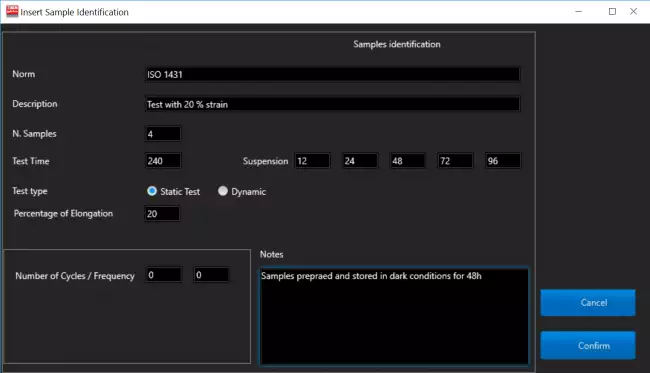
The software allows you to manage the execution of tests on different specimens in a very efficient way allowing:
- to enter the identification of each group of specimens
- to specify the test time and any suspensions for intermediate verification of the specimens

When the time for a verification or for the removal of a group of specimens has been reached, the software suspends the generation of ozone to allow access to the test chamber and operate on the specimens.

The addition of new groups of specimens can also be carried out when the test is already in progress: it will be sufficient to wait for the instrument to suspend the generation of ozone to allow it to be inserted

software ozone tester: 臭氧检测软件。用于输入标本标识的页面。可以同时将不同组的试样输入试验室。 software ozone tester: 臭氧检测软件。用于输入标本标识的页面。可以同时将不同组的试样输入试验室。 software ozone tester: Gibitre 软件。用于检查臭氧测量仪的 OzoneCheck 软件。样本识别页面。 software ozone tester: Gibitre 软件。OzoneCheck 软件,用于检查臭氧检测仪。用于设置对样品进行中间检查的页面。
 

Inserting Specimens Images 

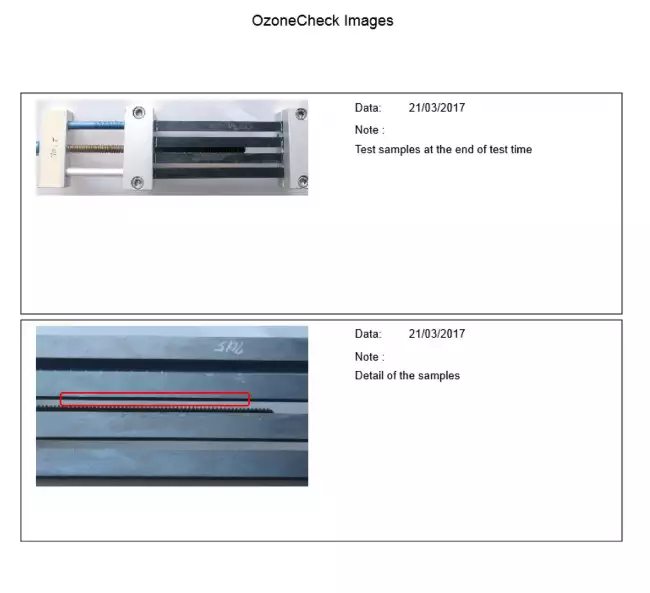
The software allows to associate to each group of specimens a sequence of images that describe their status during the test time.
The images are saved in the database together with the test curves and are shown on the test report.

software ozone tester: 用于检查臭氧测量仪的 Ozone-Check 软件。用于输入将在测试报告中报告的试样图像的页面。
用于检查臭氧测量仪的 Ozone-Check 软件。用于输入将在测试报告中报告的试样图像的页面。

Test report 

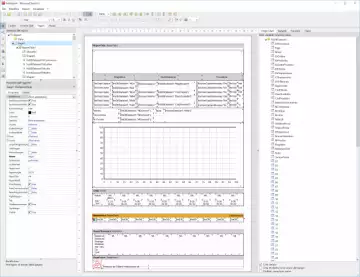
Can be printed or saved to pdf in one of the available languages. The format of the Test Report can be customized by the user.

Example of test Report
software ozone tester: 选择语言和打印格式 software ozone tester: 选择语言和打印格式 software ozone tester: Ozone-Check 臭氧检测仪:控制软件。测试报告示例,包括浓度趋势曲线和试样图像。

Continuation of the Test after unwanted interruption 

The instrument continuously stores the working conditions. After an electrical black out, the user can restart the program and continue the interrupted test.

software ozone tester: Gibitre 软件。通信中断后继续测试的示例。
Gibitre 软件。通信中断后继续测试的示例。

Management of Test Results 

The results and test curves of all the tests carried out are saved in the Gibitre SQL database and are available through the Datagest program.

Datagest is the Laboratory Information Management System (LIMS) which is always installed in combination with all Gibitre instrument-control programs.
The program is the collector for all the test result produced with the instruments connected and permits to manage the common Archives used by the instruments (Product List, Customer List, Tolerance limits, Order List, etc)

software ozone tester: Datagest:实验室的大脑
Datagest:实验室的大脑

Language Selection 

All the programs produced by Gibitre are multi-language and allow the operator to select the language of use.
The test report can be produced in the desired language regardless of the language of use of the program.
The languages available at the moment are: Italian, English, French, German, Spanish, Portuguese, Russian, Polish, Czech, Turkish, Japanese, Chinese.

software ozone tester: 选择语言
选择语言

Hardware requirements 

• Programs can be installed on standard PCs with WINDOWS 10 or 11 OPERATING SYSTEM.
• The CONNECTION between the instruments and the PC is made using the USB CABLE supplied with the instrument.
• The programs are COMPATIBLE WITH ANTIVIRUS, and other programs installed on the PC.

software ozone tester: 一台标准个人电脑就足够了
一台标准个人电脑就足够了
Download
General catalogue mail request

Ozone Check - UV
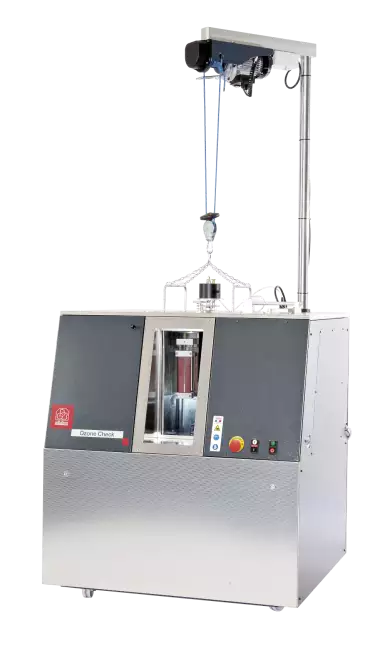
Vedi anche: Ozone-Check 臭氧测试仪,用于根据 ISO 1431 和 ASTM D1149 标准进行测试。仪器全貌。
See Also   >
See Also   >
News
Call to action
Ask for quotation
a guided way to ask
for a quotation
Mail
info@gibitre.it
The good old e-mail
ready for every season
Phone
+39 035 460146
We welcome your calls Monday through Friday from 8:30 a.m. to 5:30 p.m. in your local time zone.
Newsletter
Subscribe
Stay updated
with the last news
of your sector
Local agent
from: -
See the whole list

In your country
in your language
at your service
Gibitre Instruments S.r.l., Via dell'industria 73, 24126 Bergamo Italia, pec@gibitre-instruments.it P. IVA: IT02827900164 CCIAA REA Bergamo: 326486 | ©2018 - 2026 Gibitre Instruments
Optimist.it
Welcome to the Gibitre Instruments web site
Please chose the preferred Cookie Management.
Benvenuti nel sito Gibitre Instruments
Per continuare scegliete la Gestione dei Cookie che preferite.
Cookies policy
For detailed informations about the use of cookies, please read our
Cookies Management Practice.

Gestione dei Cookies
Per maggiori informazioni sui cookie utilizzati consultate la nostra
Procedura sull'Uso dei Cookies.